요즘 머신러닝, 딥러닝 기초 강의도 수강했는데
재밌는 것 같다 (아마도)
🏓 main.py
from turtle import Screen, Turtle
from paddle import Paddle
from ball import Ball
from scoreboard import Scoreboard
import time

screen = Screen()
screen.title("퐁 게임 🏓")
screen.bgcolor("black")
screen.setup(width=800,height=600)

screen.tracer(0)

r_paddle = Paddle((350, 0))
l_paddle = Paddle((-350, 0))
ball = Ball()
scoreboard = Scoreboard()


screen.listen()
screen.onkey(r_paddle.go_up, "Up")
screen.onkey(r_paddle.go_down, "Down")
screen.onkey(l_paddle.go_up, "w")
screen.onkey(l_paddle.go_down, "s")


game_on = True
while game_on :
    time.sleep(ball.move_speed)
    screen.update()
    ball.move()

    # 벽이랑 공이랑 부딪히면 튕기기
    if ball.ycor() >= 280 or ball.ycor() <=-280 :
        ball.bounce_y()

    # 오른쪽 패들과 충돌할때 튕기기
    if ball.distance(r_paddle) < 50 and ball.xcor() > 320 :
        ball.bounce_x()


    # 왼쪽 패들과 충돌할때 튕기기
    if ball.distance(l_paddle) < 50 and ball.xcor() < -320:
        ball.bounce_x()

    # 오른쪽이 공 놓쳤을 때
    if ball.xcor() > 380 :
        ball.reset_position()
        scoreboard.l_point()

    # 왼쪽이 공 놓쳤을 때
    if ball.xcor() < -380:
        ball.reset_position()
        scoreboard.r_point()

    # 누군가 5점되면 게임 끝나게
    if scoreboard.r_score > 4 or scoreboard.l_score > 4 :
        game_on = False

screen.exitonclick()
🏓 paddle.py
from turtle import Turtle


class Paddle(Turtle):

    def __init__(self, position):
        super().__init__()
        self.shape("square")
        self.color("white")
        self.penup()
        self.shapesize(stretch_len=1, stretch_wid=5)
        self.goto(position)

    def go_up(self):
        new_y = self.ycor() + 20
        self.goto(self.xcor(), new_y)

    def go_down(self):
        new_y = self.ycor() - 20
        self.goto(self.xcor(), new_y)
🏓 ball.py
from turtle import Turtle

class Ball(Turtle) :
    def __init__(self):
        super().__init__()
        self.shape("circle")
        self.color("orange")
        self.penup()
        self.goto(0,0)
        self.x_move = 5
        self.y_move = 5
        self.move_speed = 0.1

    def move(self):
        new_x = self.xcor() + self.x_move
        new_y = self.ycor() + self.y_move
        self.goto(new_x, new_y)

    def bounce_y(self):
        self.y_move *= -1
        self.move_speed *= 0.9

    def bounce_x(self):
        self.x_move *= -1
        self.move_speed *= 0.9

    def reset_position(self):
        self.goto(0,0)
        self.bounce_x()
        self.move_speed = 0.1
🏓scoreboard.py
from turtle import Turtle

class Scoreboard(Turtle) :

    def __init__(self):
        super().__init__()
        self.color("white")
        self.penup()
        self.hideturtle()
        self.l_score = 0
        self.r_score = 0
        self.update_scoreboard()

    def update_scoreboard(self):
        self.clear()
        self.goto(-100, 200)
        self.write(self.l_score, align="center", font=("Courier", 80, "normal"))
        self.goto(100, 200)
        self.write(self.r_score, align="center", font=("Courier", 80, "normal"))

    def l_point(self):
        self.l_score += 1
        self.update_scoreboard()

    def r_point(self):
        self.r_score += 1
        self.update_scoreboard()
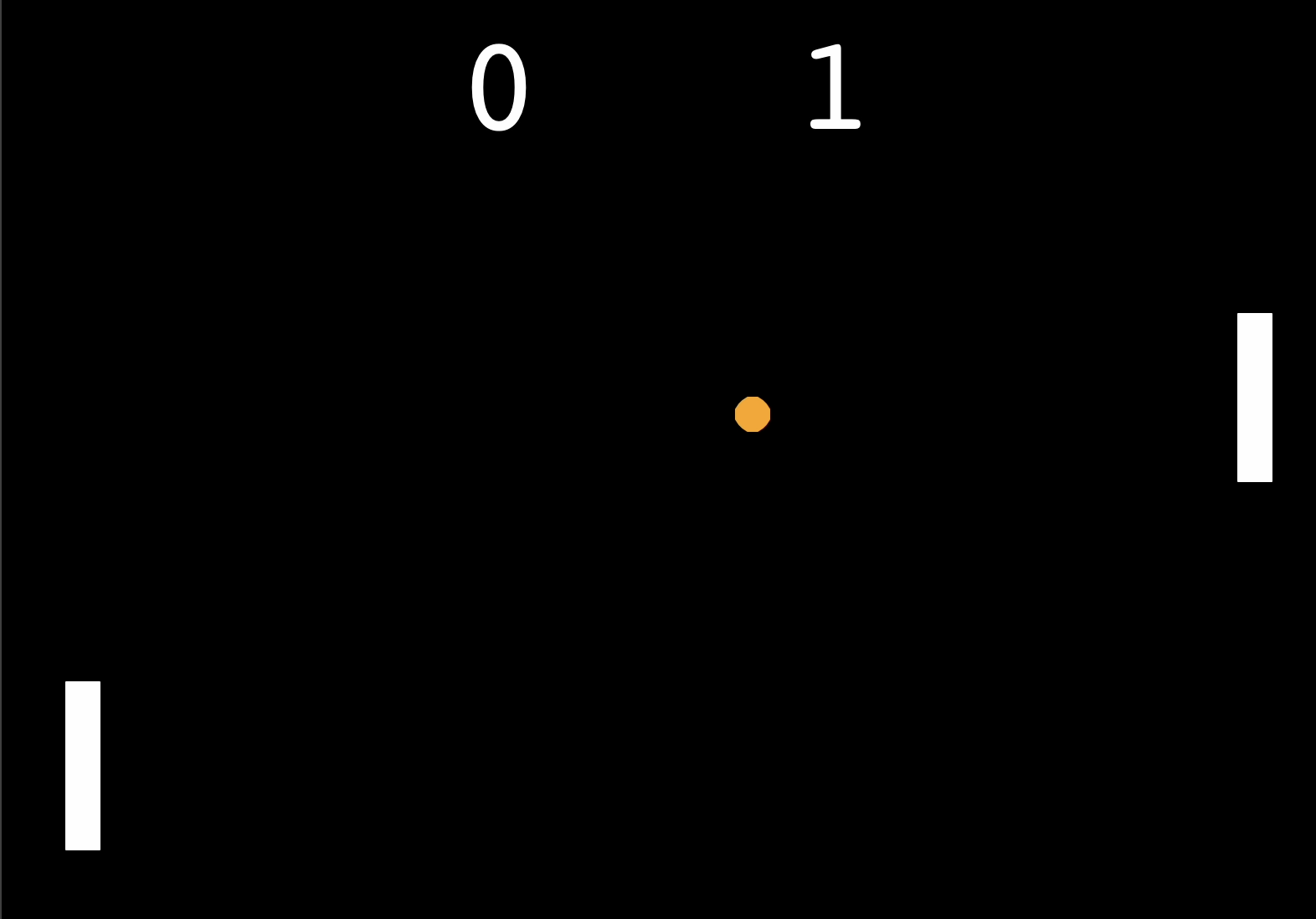
🏓 실행 결과
'Python 🎧' 카테고리의 다른 글
| [python] 파일 - 읽기/수정/쓰기/생성 - open/with/read/write (2) | 2024.09.01 |
|---|---|
| [python] 길 건너기 게임 - turtle/class/상속/예제 (1) | 2024.09.01 |
| [Python] 간단 snake 게임 만들기 - 클래스/슬라이싱/상속 (0) | 2024.08.26 |
| [python] turtle - 천하제일 거북이 달리기 시합 (2) | 2024.08.19 |
| [python] turtle - 한줄 그림 그리기 (이벤트 리스너) (2) | 2024.08.19 |


